
Review detailed metrics and weather
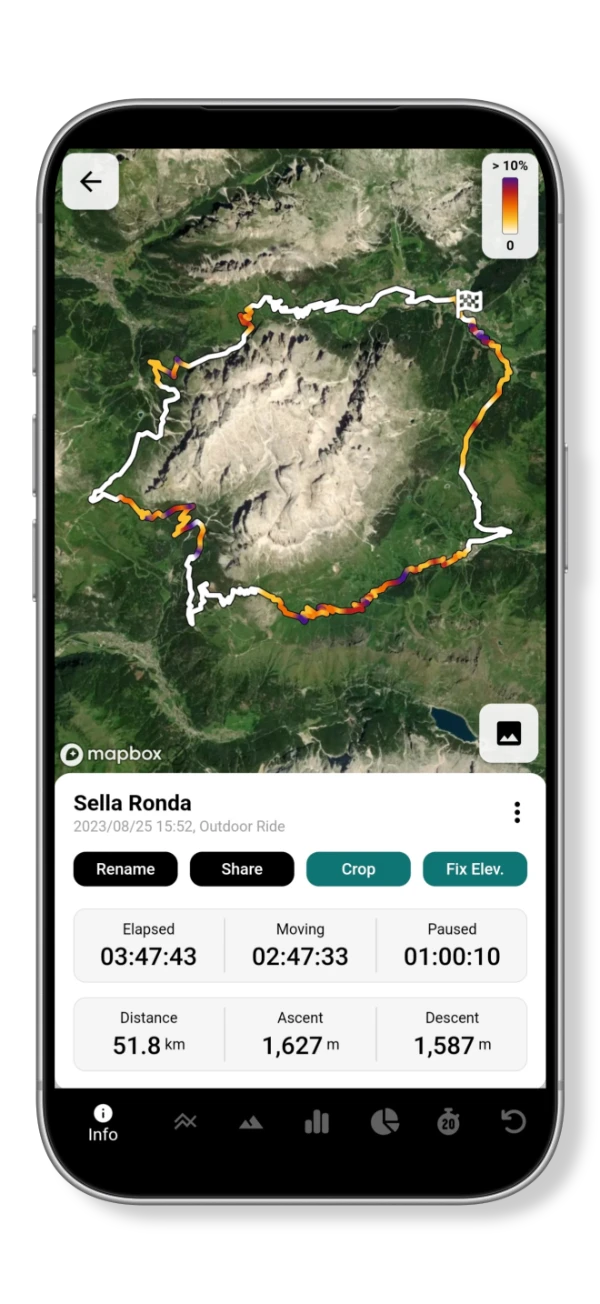
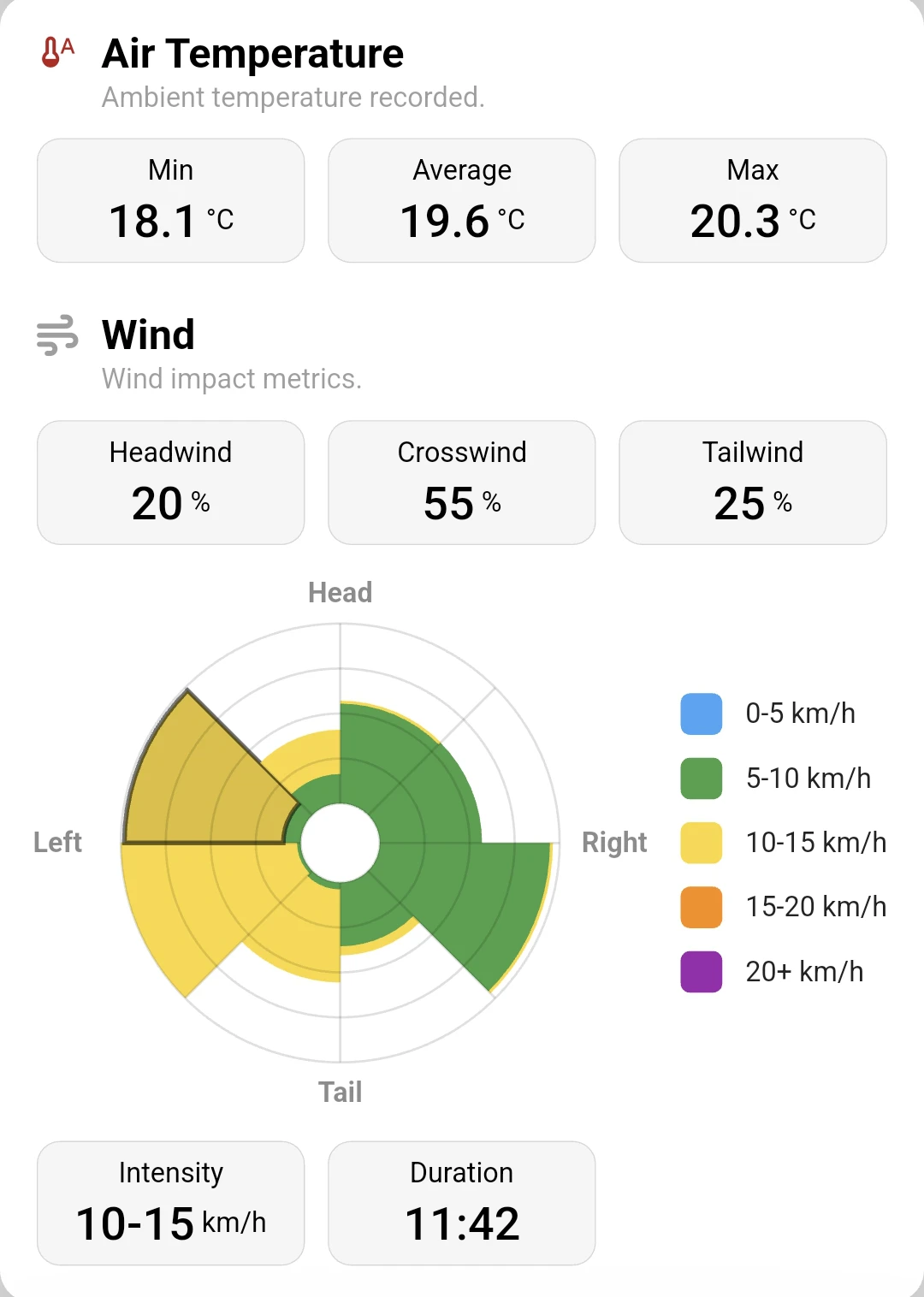
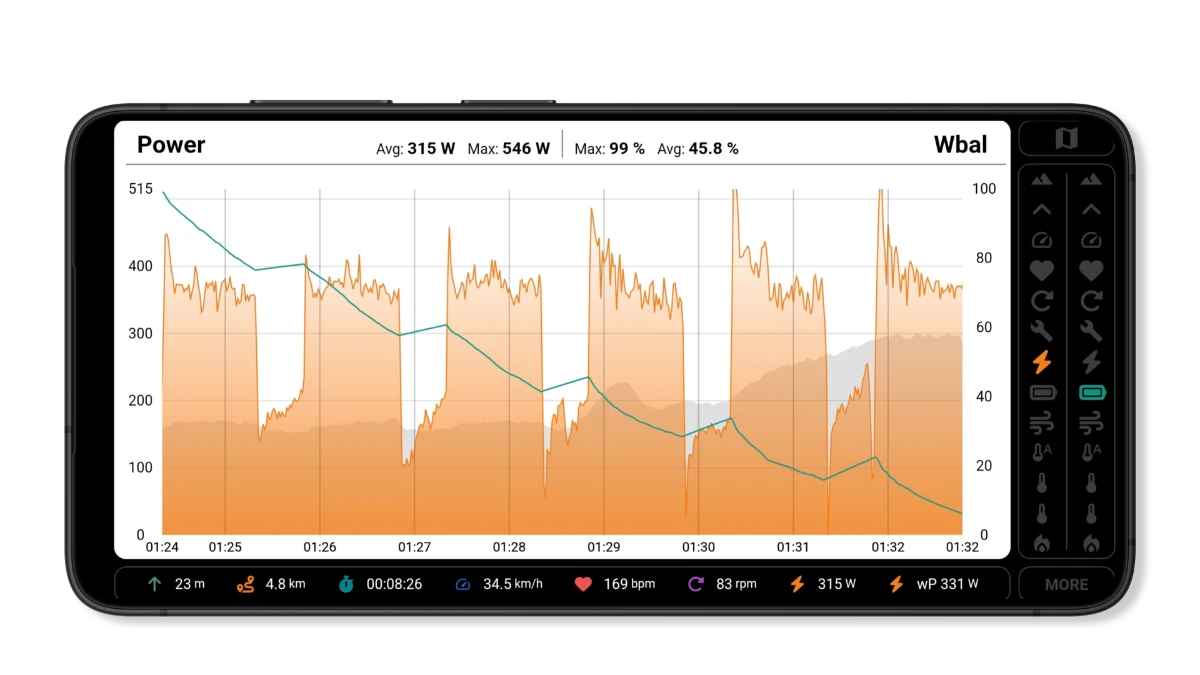
The activity overview brings together your route, duration, distance and elevation. Detailed metrics let you examine the recorded effort, while weather analysis adds temperature and wind context. Review headwind, crosswind and tailwind exposure when comparing the pace of different rides.
Compare automatically detected intervals
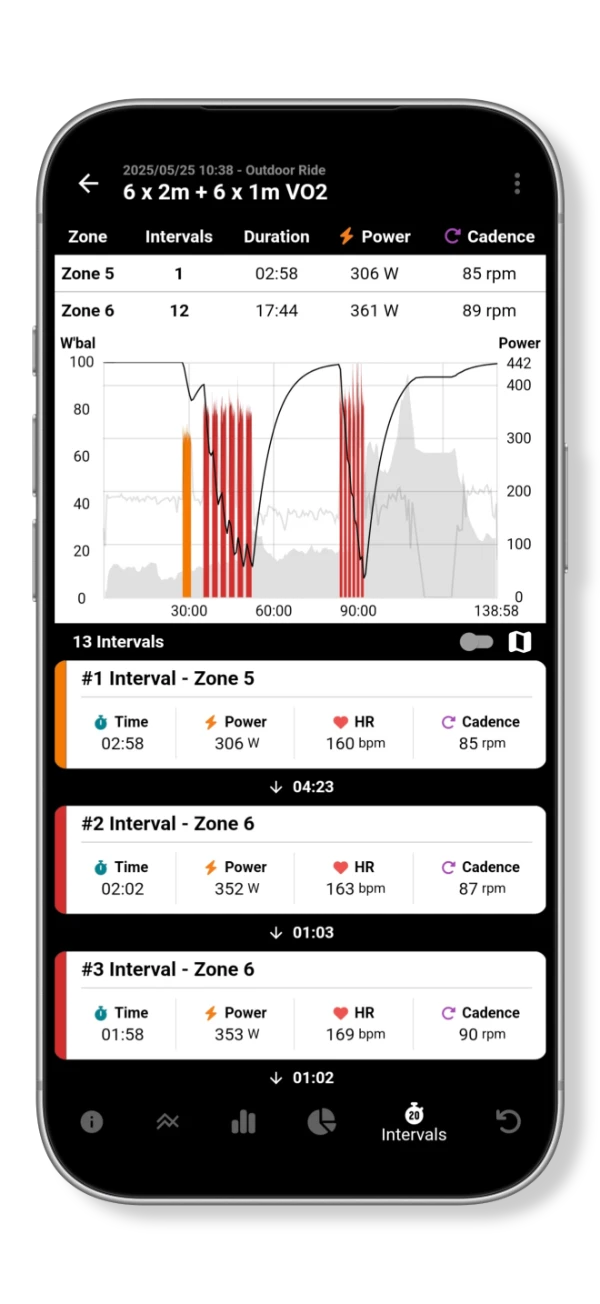
Automatic interval detection separates hard efforts within an activity. The interval list shows duration, power, heart rate and cadence, with recovery gaps between efforts. Use it to compare repetitions and see how your pacing changed during a session.
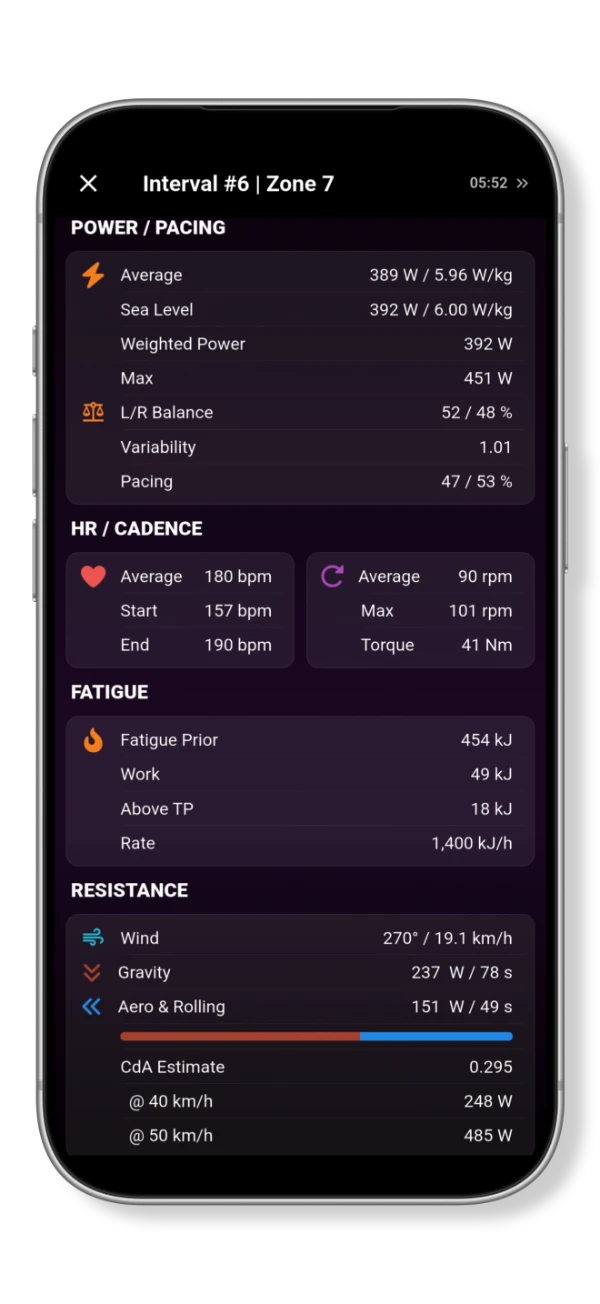
Each interval has a detailed breakdown of power, pacing, heart rate, cadence and accumulated work. Advanced metrics include weighted power, variability, left/right power balance and a resistance breakdown for gravity, aerodynamics and rolling resistance. The CdA estimate helps you examine aerodynamic drag alongside the other demands of the effort.
Review climbs and previous efforts
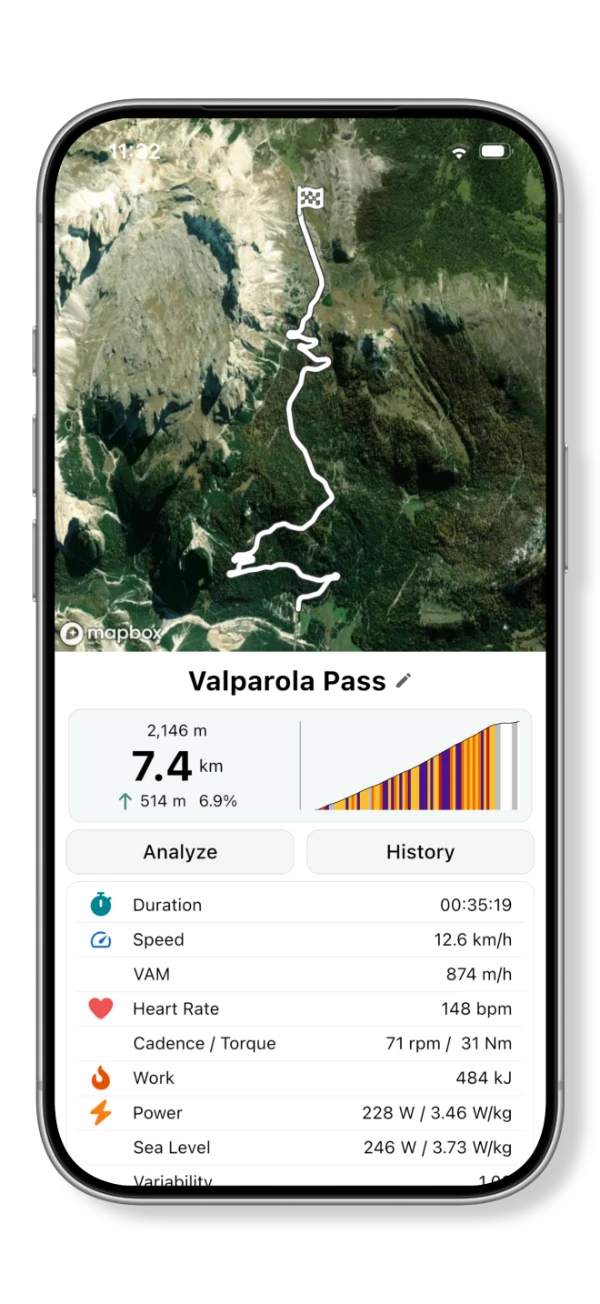
Climbs are detected automatically so you can review each ascent separately. The climb view combines its route and gradient profile with duration, speed, vertical ascent rate, heart rate and power. Use those measurements to review your pacing on the ascent.
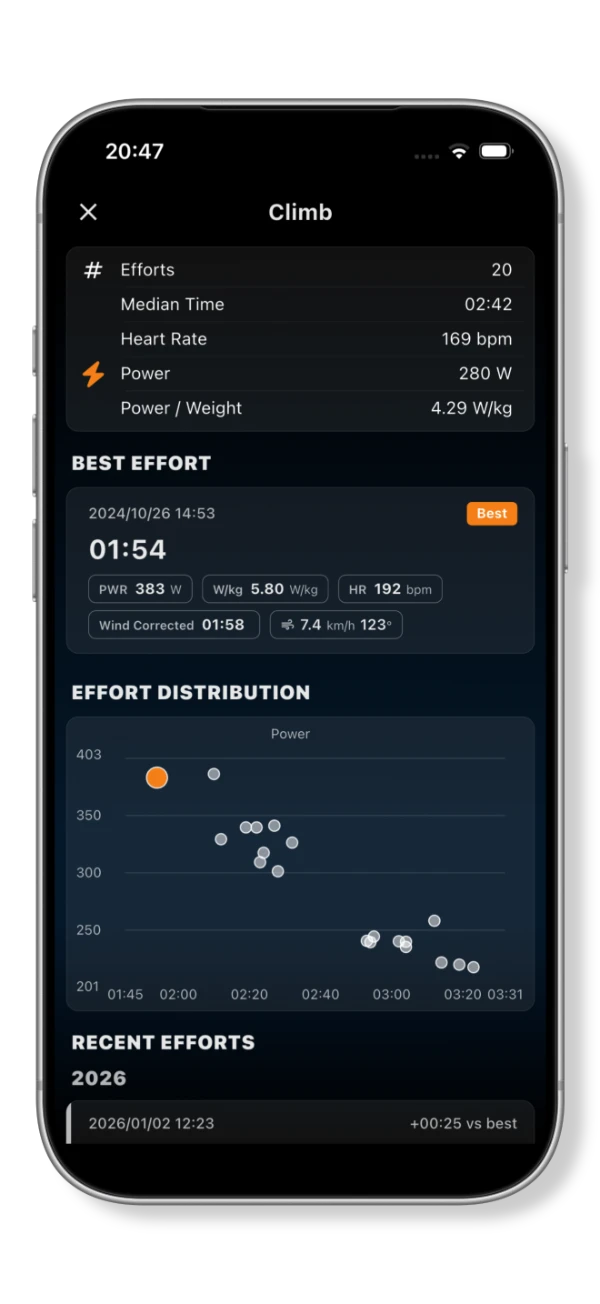
Climb history brings together previous efforts on the same climb, including your best effort and a distribution of times and power. Compare a recent ascent with earlier attempts to see how the result relates to the effort you produced.
Track training load and performance trends
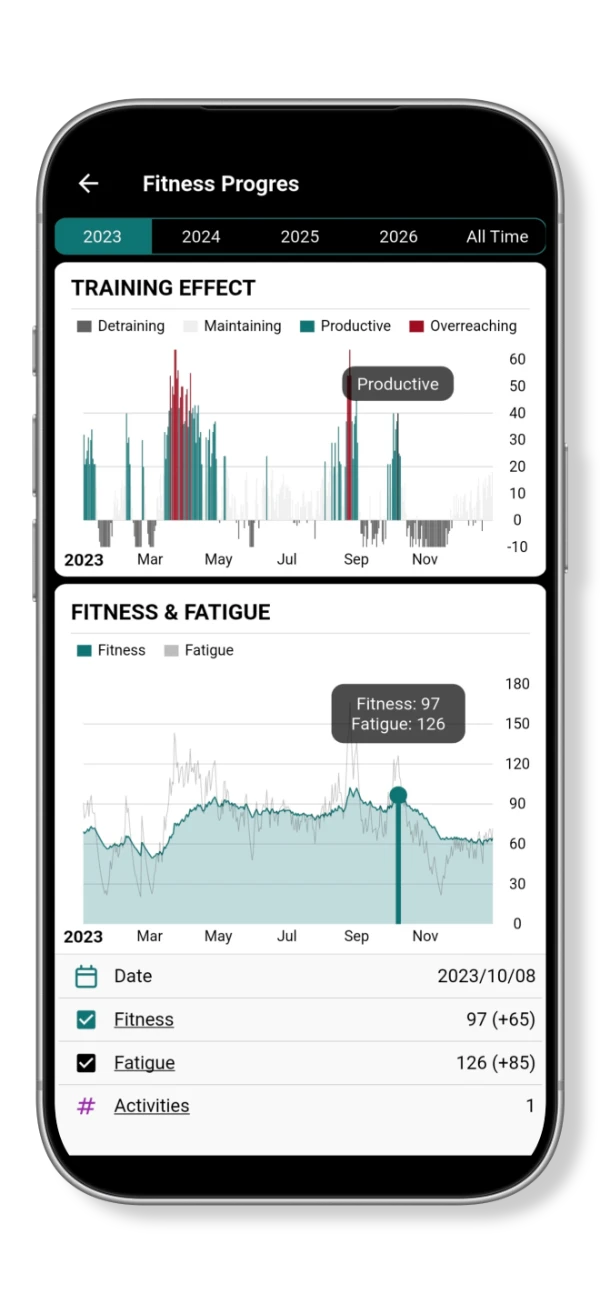
Long-term statistics put individual sessions in the context of your training history. The Fitness Progress view charts training effect, fitness and fatigue across a year or all time. Use it to review how periods of training and reduced activity relate to changes in those trends.
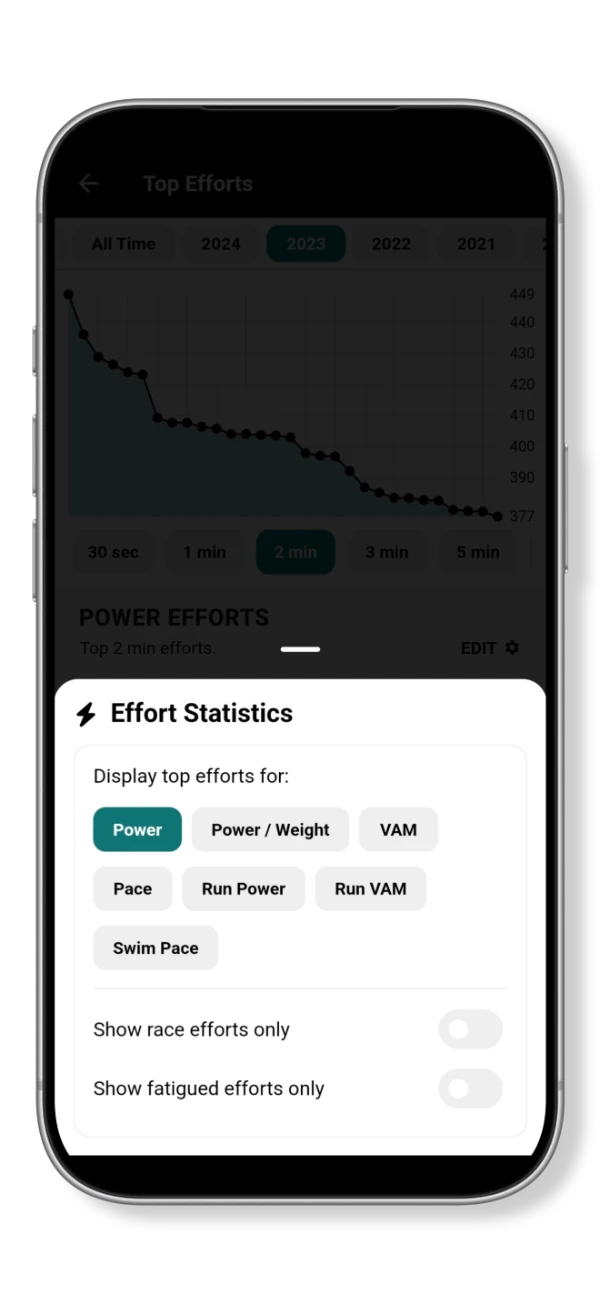
Effort statistics let you review your strongest recorded performances for a chosen duration and metric, including power, power relative to weight and pace. Filters for race efforts and fatigued efforts help you focus the comparison on the performances relevant to your question.
Compare power curves and durability
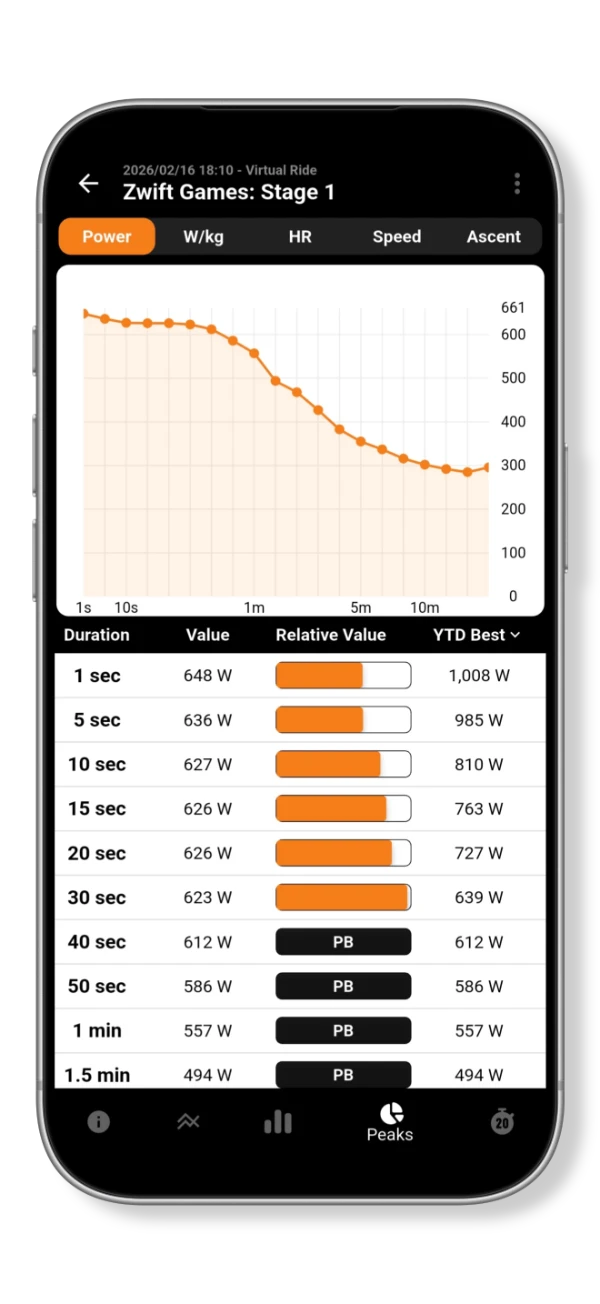
A power curve shows your best recorded average power across different durations. Compare an activity with your year-to-date best to find the efforts worth reviewing. The guide to reading power curves explains how to make those comparisons useful.
Durability analysis examines the power you produce after accumulating work during an activity. Use it to review late efforts and compare performance after similar workloads. The guide to measuring durability explains how to interpret the differences.
Replay an activity on the map
Activity replay follows your recorded route on the map as the activity progresses. Use it to revisit the terrain and see where different parts of the effort took place.
Add automatic data overlays to video
Automatic data overlays combine activity measurements with video footage. The metrics shown on the overlay are fully customizable. Show how the effort changed alongside the terrain, with data displayed over the video as it plays.