Connect your nutrition and performance
Peak Watts brings nutrition tracking and activity analysis into the same app. Log what you eat and review your energy intake against the demand from resting energy and activity. Your nutrition history gives you context when you review your training and performance, including how you fueled different sessions.
Review daily intake and the nutrition calendar
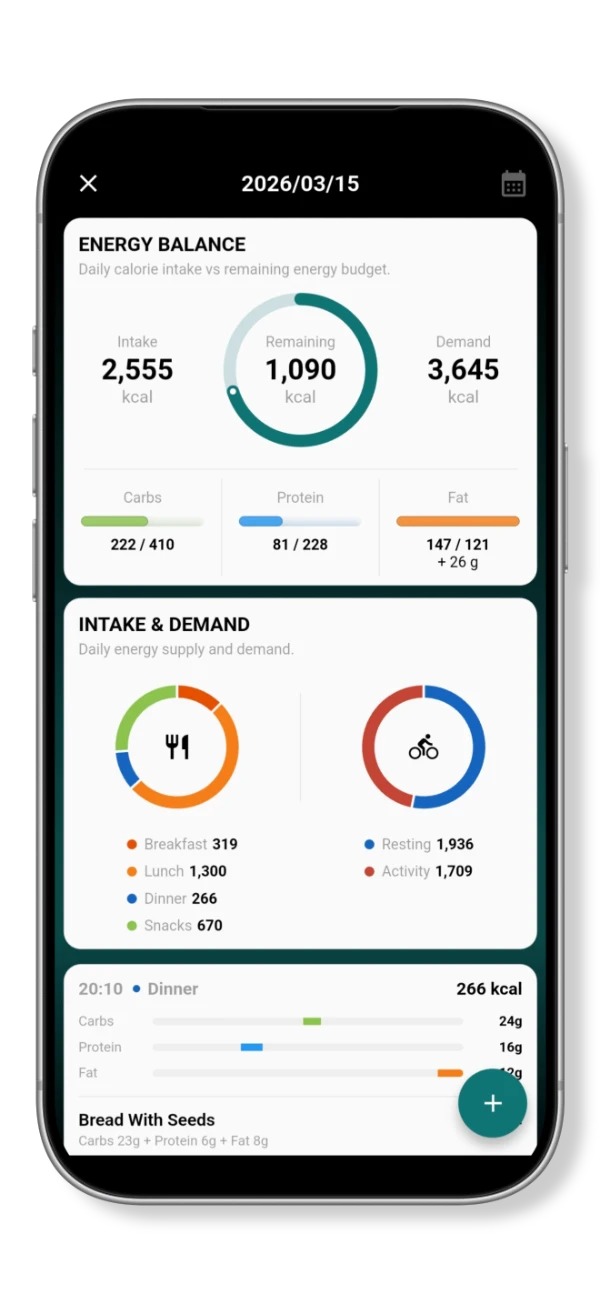
The daily view shows your meals, calorie intake and remaining energy budget, with a breakdown of carbohydrates, protein and fat. Use it to review what you have logged and how your intake compares with the day's energy demand.
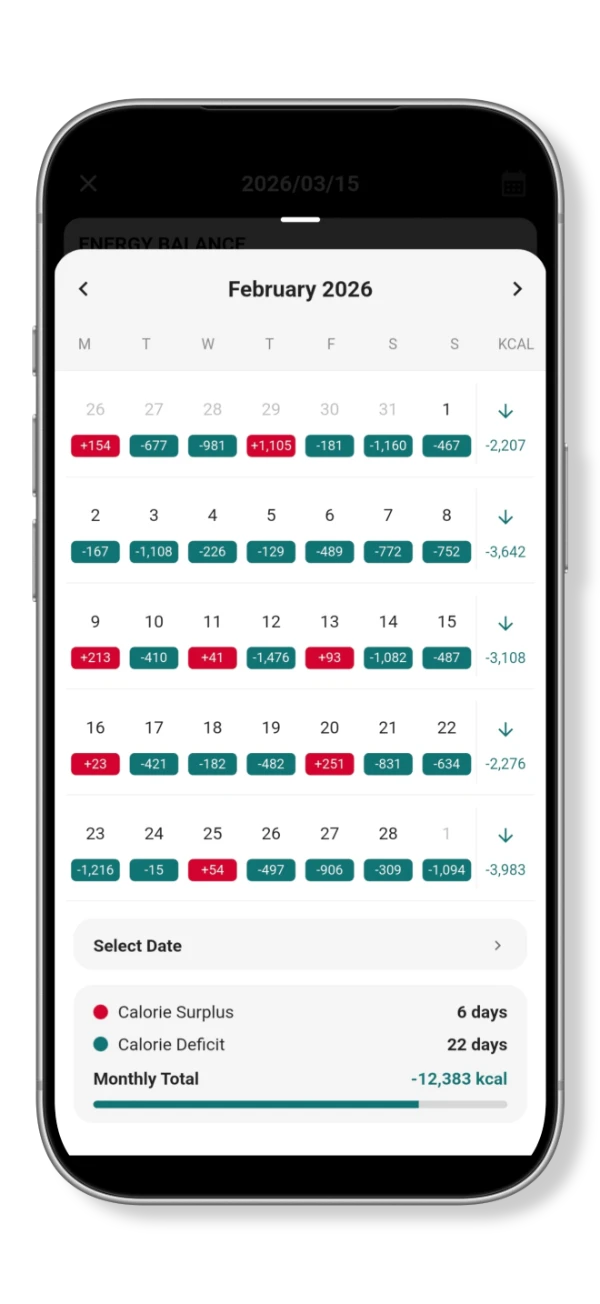
The nutrition intake calendar shows daily energy balances across a month, with weekly totals and a monthly summary. Select a date to review that day's intake, or use the calendar to compare your nutrition across training and rest days.
Detect meals with AI
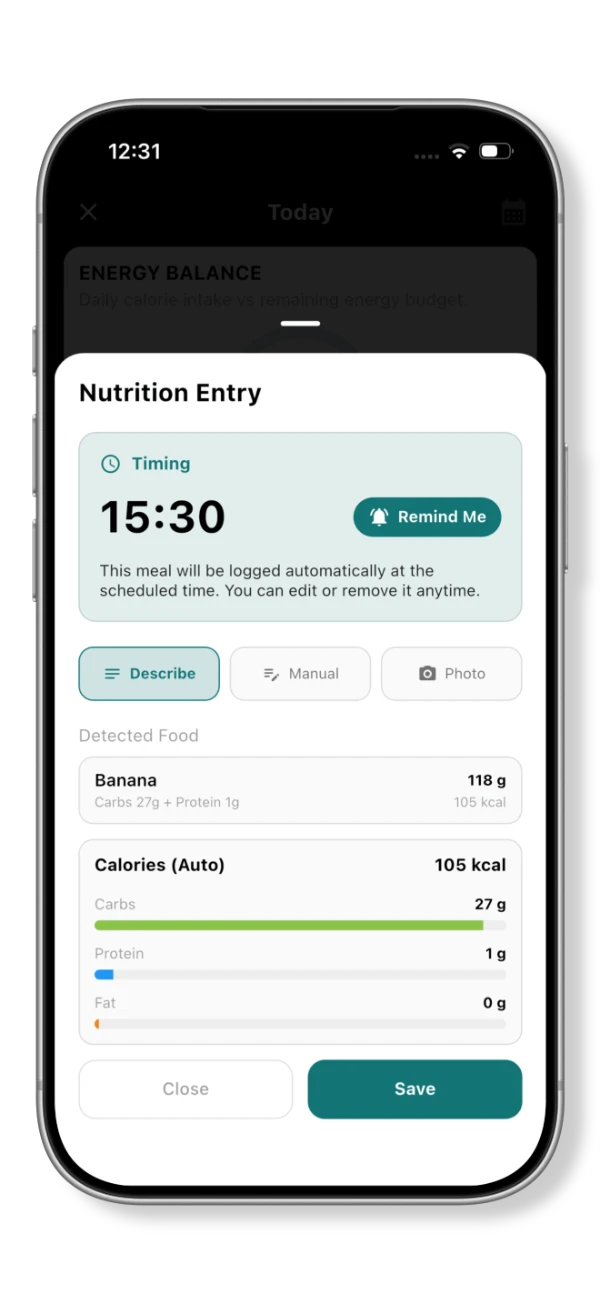
AI-powered nutrition detection uses a food description or meal photos to identify food and estimate its nutritional content. Review the detected food and nutrition values before saving an entry. You can also enter nutrition manually.
When reviewing meals detected from photos, select the meals you want to save. Their dates and times are based on when the photos were taken, so you can add meals to the relevant days in your nutrition record.

Schedule meals and feeding alerts
Set a time for a nutrition entry and enable the reminder option to receive a notification alert reminding you to eat. This lets you plan meal and fueling timing around a training session.
A scheduled meal is logged automatically at the chosen time. You can edit or remove the entry if your plans change.